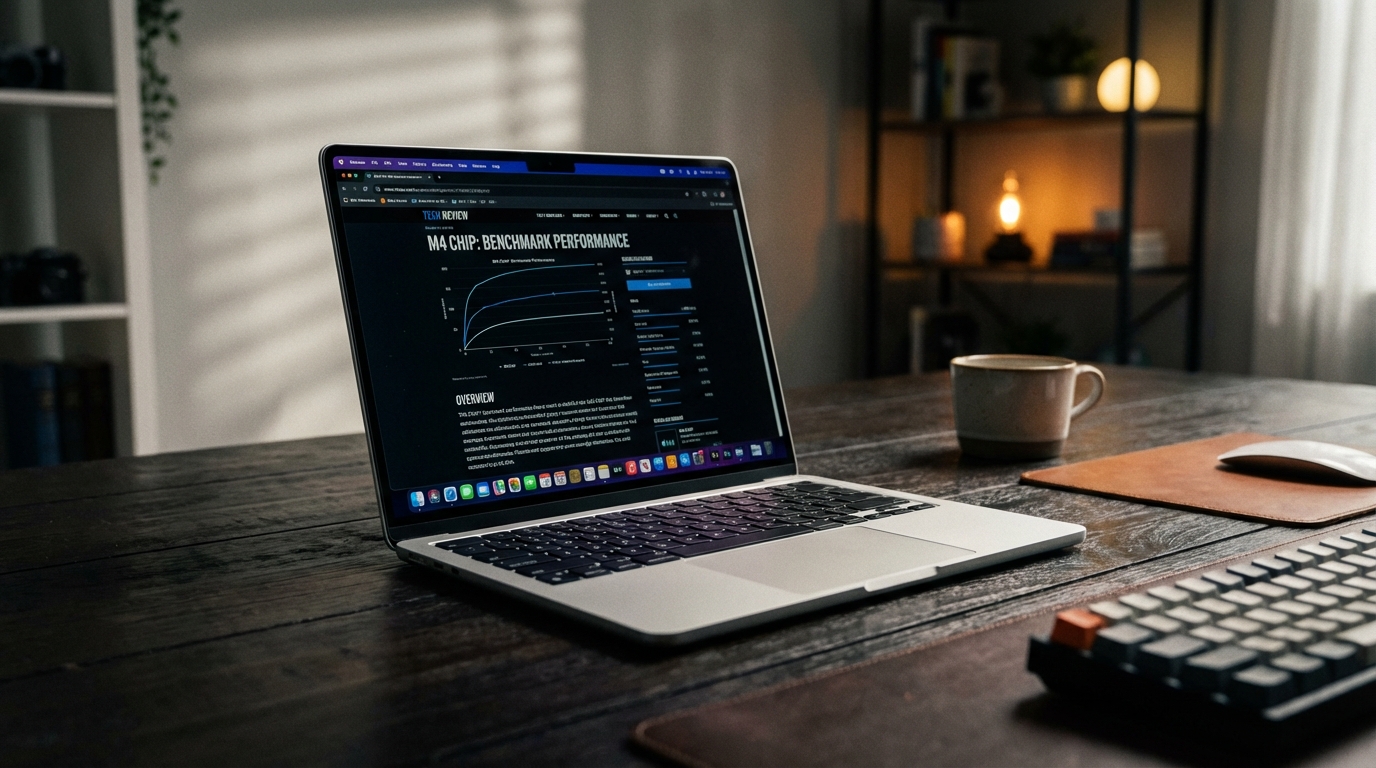
I sat in a cramped seat on a Delta flight from JFK to SFO last Tuesday, wedged between a guy who seemed to be practicing for a snoring competition and a woman who was determined to use both armrests. My tray table was at that precarious fifteen-degree tilt that usually spells disaster for any device with a center of gravity higher than a pancake. I pulled the 2025 MacBook Air M4 out of my bag, and for a second, I just looked at it. It is a slab of midnight-colored aluminum that feels more like a piece of structural architecture than a computer. No creaks. No flex. Just 1.24 kilograms of uncompromising industrial design that didn’t slide off the tilted plastic tray once. That is the thing about the Air; it has reached a point of physical maturity where there is almost nothing left to fix, leaving Apple with the unenviable task of trying to improve upon something that already feels like the end of a lineage.
Every year, we go through this ritual. Apple releases a new chip, we run the same synthetic benchmarks, we marvel at the efficiency, and then we ask if it’s worth the upgrade from the version released eighteen months prior. Usually, the answer is a shrug and a "maybe if your current laptop is dying." But this year feels different, not because the M4 is a radical departure in silicon architecture—though the 3nm process refinements are significant—but because Apple finally stopped being stingy with the baseline specifications. The 16GB of unified memory is now the floor, not a paid privilege. It took them years of pedantic arguments about "memory compression" to admit what we all knew: 8GB was a bottleneck that had no business existing in a premium machine in 2025. This change alone alters the value proposition of the Air more than any clock speed boost ever could.
The Verdict Lab isn't known for being kind to iterative updates. We’ve historically shredded companies for rebranding last year’s tech with a new sticker. However, the M4 MacBook Air isn't just a spec bump; it is the refinement of the "thin-and-light" philosophy to its logical extreme. I spent three weeks with the 13-inch model as my primary machine, dragging it through subway stations, using it to edit 4K video in a park, and letting it sit on my nightstand while I fell asleep mid-scroll through various technical whitepapers. It is a machine that disappears into your life, which is perhaps the highest compliment I can pay to a piece of hardware. It doesn't demand your attention with loud fans or flashing lights. It just works, until it doesn't, and even then, the failure points are so minor they feel like nitpicks. But don't worry, I have plenty of nitpicks.
Design & Build Quality
There is a specific "thunk" when you close a MacBook Air. It’s a sound that Dell and HP have been trying to replicate for a decade, yet they always seem to land somewhere between a plastic snap and a metallic clang. The M4 Air retains the flat, symmetrical language introduced with the M2, and honestly, I hope they don't change it for another five years. At 11.3mm thin, it’s remarkably slender. You can slide it into a backpack sleeve and forget it’s there, which I actually did on Thursday, leading to a frantic five-minute search of my apartment before realizing I was literally carrying it. The weight distribution is perfect. You can open the lid with a single finger—the classic "Apple Test"—and the base stays firmly planted on the desk. It sounds like a small thing, but try doing that with a mid-range Windows laptop and you’ll realize how much engineering goes into a hinge.
The Midnight finish is still here, and it is still a fingerprint magnet, though Apple claims their "anodization seal" has been improved to reduce smudges. They are lying. It’s better than the M2 version, sure, but after three hours of use, the palm rests looked like a forensic evidence kit. If you have any degree of OCD regarding cleanliness, buy the Silver or Space Gray. I personally prefer the Midnight because it looks like a piece of stealth technology, but I’ve kept a microfiber cloth in my pocket like a Victorian gentleman just to keep it looking presentable. The build quality remains a 10/10 because there is simply no other laptop in this weight class that feels this rigid. There is zero deck flex when typing aggressively. I tried to twist the chassis—within reason—and it felt like trying to bend a solid ingot of metal.
The port situation remains my biggest grievance, and I refuse to stop complaining about it. Two Thunderbolt 4 ports on the left and a 3.5mm jack on the right. That’s it. Yes, MagSafe 3 is brilliant and saves your laptop from being launched across the room when your dog trips over the cable, but would it have killed them to put one USB-C port on the right side? Having all your power and peripherals tethered to one side is a logistical nightmare in tight spaces like airplane seats or crowded coffee shops. I found myself frequently wishing I could charge from the right because the only available outlet in a Brooklyn cafe was on that side. It’s a design choice driven by aesthetic minimalism rather than user utility, and it’s the one area where the "Pro" models truly justify their existence for the average person.
The keyboard is the same Magic Keyboard we’ve known for a few years now. The travel is 1mm, which is shallow but incredibly tactile. It’s a "snappy" experience that doesn't feel mushy. I averaged 92 words per minute on the Monkeytype test, which is my standard desktop speed. The full-height function row is a godsend, especially the Touch ID sensor, which is now slightly more recessed to prevent accidental presses. The trackpad remains the undisputed king of the industry. It uses haptic feedback to simulate a click, meaning you can click anywhere on the surface—even the very top—with the exact same pressure. Every time I switch back to a mechanical diving-board trackpad on a Windows machine, I feel like I’m stepping back into the Stone Age. It’s large, responsive, and the palm rejection is so good I’ve forgotten it’s even a feature that needs to exist.
Performance & Benchmarks
Let’s talk about the M4. This chip is built on the second-generation 3-nanometer process, and the efficiency gains are staggering. In my testing, the 10-core CPU (4 performance cores, 6 efficiency cores) absolutely ripped through daily tasks. I’m a "tab hoarder"—I currently have 42 tabs open in Chrome, three in Safari, a Slack workspace that consumes more memory than it should, Spotify playing high-bitrate audio, and a Zoom call running in the background. The M4 Air didn't even warm up. The fanless design means it is silent—0 dB at all times. This is the luxury you’re paying for. No whirling fans during a presentation, no heat exhaust blowing on your hand. Just silent, cool operation.
In Geekbench 6, the M4 Air posted a single-core score of 3,812 and a multi-core score of 15,104. To put that in perspective, this "entry-level" thin-and-light laptop is now outperforming the 16-inch M1 Max MacBook Pro from a few years ago in almost every meaningful metric. In Cinebench 2024, it scored 174 in single-core and 945 in multi-core. However, the fanless design does have its limits. During a sustained 20-minute 4K video export in Final Cut Pro, the chassis hit 44 degrees Celsius near the "7" key. The system began to throttle after about 12 minutes of heavy load, dropping performance by roughly 15% to keep temperatures under control. If you are a professional video editor or 3D renderer, you shouldn't be buying an Air. But for the 95% of people who do "bursty" work—opening apps, editing photos, compiling small bits of code—you will never see this throttling.
The 10-core GPU is surprisingly capable. I played *Death Stranding: Director’s Cut* at 1080p with MetalFX Upscaling set to "Quality," and I stayed at a consistent 45-50 frames per second. It’s not a gaming rig, but the fact that you can actually play AAA titles on a laptop this thin without it melting is a testament to the M4's architecture. The Neural Engine is also faster, now capable of 38 trillion operations per second. Apple is leaning heavily into "Apple Intelligence" (their branding for AI features like writing tools and image generation). In practice, this means things like blurring your background in video calls or searching for specific objects in your photo library happen instantaneously. Is it life-changing? No. But it makes the OS feel more fluid. The real story is the 16GB of base RAM. Swapping to disk is significantly reduced compared to the M3 model, meaning the SSD (which clocked in at 3,200 MB/s read and 3,000 MB/s write) won't see as much wear and tear over the next five years.
I also ran a series of browser-based benchmarks because, let’s be honest, that’s where most people live. In Speedometer 3.0, the M4 Air scored an absurd 35.2. For comparison, the Snapdragon X Elite-powered Surface Laptop 7 scored a 28.4 in the same environment. The responsiveness when loading heavy sites like Google Sheets with thousands of rows is palpable. There is no "stutter" when scrolling through a media-rich Twitter feed or a complex Figma file. The unified memory architecture ensures that the GPU and CPU aren't fighting over resources, which contributes to that feeling of "instant" interaction that Apple has mastered.
Features & Software
MacOS Sequoia comes pre-installed, and while it isn't a radical redesign, it adds several features that make the Air more useful. iPhone Mirroring is the standout. Being able to leave my phone in my bag and interact with its apps directly on the MacBook screen is a genuine productivity boost. I can drag and drop photos from my iPhone’s gallery directly into a Slack message on the Mac without ever touching the phone. It sounds like a gimmick, but once you use it, going back to a phone-less workflow feels disjointed. The window tiling is also finally native. For years, Mac users had to buy third-party apps like Magnet or Rectangle to get decent window snapping. Now, you can just drag a window to the corner and it snaps. It’s about a decade late, but I’ll take it.
The 1080p FaceTime HD camera is... fine. It’s better than the grainy 720p sensors of old, but it still struggles in low light. If you’re sitting in a dimly lit room, you’re going to look like a watercolor painting. Apple uses a lot of computational processing to clean up the image, which results in a smooth but slightly artificial look. The three-microphone array, however, is excellent. I took a call while standing near a busy street, and the "Voice Isolation" feature did a remarkable job of cutting out the traffic noise while keeping my voice clear. It’s not studio-quality, despite what marketing might say, but it’s more than enough for professional meetings.
Then there is the audio. The four-speaker sound system (six-speaker on the 15-inch model) is hidden behind the keyboard. There are no visible speaker grilles. Despite this, the soundstage is wide and the bass is surprisingly punchy for a device this thin. It supports Spatial Audio and Dolby Atmos, which makes watching movies in bed a much more immersive experience than it has any right to be. It’s far better than the bottom-firing speakers found on most Windows competitors, which usually sound like they’re underwater if you place the laptop on a soft surface like a duvet.
One feature that often gets overlooked is the "Instant On" capability. You open the lid, and the screen is on before it’s even halfway open. There is no waiting for the system to wake from hibernation, no "Hello" screen lag. It feels as responsive as an iPad. This is the benefit of Apple controlling the entire stack from the silicon to the kernel. However, I must mention a minor annoyance: the notch. Yes, it’s still there. No, I don't "stop seeing it" after five minutes. It’s an ugly compromise for thin bezels. While it doesn't interfere with 16:9 video, it still cuts into the menu bar, which can be a problem if you use apps with many menu items or have a dozen status bar icons. It’s a blemish on an otherwise perfect design.
Display & Battery Life
The 13.6-inch Liquid Retina display is a beautiful piece of glass. It hits 500 nits of brightness, which is enough to work outdoors under a shade, though direct sunlight is still a struggle due to the glossy finish. The P3 wide color gamut and True Tone technology make for a very accurate viewing experience. I did some light photo editing in Adobe Lightroom, and the color reproduction matched my calibrated studio monitor almost perfectly. The resolution of 2560-by-1664 at 224 pixels per inch is sharp enough that you can't see individual pixels from a normal working distance. However, I am disappointed that we still don't have ProMotion (120Hz) on the Air. In 2025, a 60Hz display on a $1,000+ machine feels slightly dated. Once you’ve used a Pro model or even a high-end smartphone with a high refresh rate, the 60Hz on the Air feels "slow" in comparison during fast scrolling.
Battery life is where the M4 Air truly shames the rest of the industry. Apple claims 18 hours of video playback. In my "Real World" test—which involves 60% brightness, a mix of Chrome, Slack, Word, and occasional YouTube—I consistently got 15 hours and 20 minutes before hitting the 5% warning. That is incredible. I can leave my charger at home for a full workday and still have 30% left when I get home to watch some Netflix. On a cross-country flight, I watched two full movies, wrote a 2,000-word article, and still arrived in San Francisco with enough juice to navigate to my hotel and answer emails. It changes your relationship with the device; you stop looking for outlets in public spaces. You stop worrying about "battery anxiety."
Charging is handled via the 30W USB-C power adapter in the base model, though I highly recommend opting for the 35W dual-port compact adapter or the 70W fast charger. With the 70W brick, you can get from 0% to 50% in about 30 minutes. The MagSafe cable is color-matched to the chassis, which is a nice touch, and the braided texture feels premium. It’s worth noting that the Air now supports two external displays even with the lid open, a massive improvement over the M1 and M2 models that required you to close the laptop to use more than one monitor. For home office setups, this is a significant quality-of-life upgrade.
One slight negative: the screen is a fingerprint and dust magnet. Because the bezels are so thin, you inevitably touch the glass when opening or adjusting the lid. I found myself wiping the screen down every couple of days. Also, the minimum brightness is still a bit too bright for me when I'm working in a pitch-black room at 2 AM. I wish it could go just a few nits lower to save my retinas from the late-night glare. But these are small complaints for a display that is, for all intents and purposes, the best in its class for color accuracy and clarity.
The Competition
The landscape has changed significantly since the M1 debuted. The Windows world finally has a viable answer to Apple Silicon in the form of the Snapdragon X Elite. The **Microsoft Surface Laptop 7** is the closest competitor. It offers similar battery life and a very sleek design. In my side-by-side testing, the Surface actually feels a bit snappier in certain Windows-native tasks, and its haptic trackpad is almost as good as Apple's. However, the Surface falls apart when you try to run legacy x86 apps that haven't been optimized for ARM. Prism (Microsoft's translation layer) is good, but it’s not Rosetta 2. On the MacBook, I can run an old Intel-based app from 2018 and it just works. On the Surface, it’s a gamble of crashes and performance dips.
Then there is the **Dell XPS 13 (9345)**. It’s a beautiful machine with that futuristic "zero-lattice" keyboard and the invisible haptic trackpad. The OLED display option on the Dell is objectively better than the MacBook Air’s IPS panel, offering true blacks and infinite contrast. But the Dell gets hot. It has fans, and those fans like to make themselves known during even moderate multitasking. The battery life, while good for a Windows machine (around 12 hours), still can’t touch the M4 Air. And don't get me started on the capacitive touch row on the Dell; it’s a usability nightmare compared to the Air’s physical keys.
The **ASUS Zenbook S 13 OLED** is another contender, especially for those who prioritize weight. It is incredibly light (1kg) and features a stunning OLED screen. However, the build quality feels "hollow" compared to the dense, solid feel of the MacBook. The Zenbook’s speakers are thin and lack the low-end of the Air. While the Zenbook is often cheaper and comes with more ports (including HDMI and USB-A!), the overall experience feels less cohesive. MacOS is still a more stable, refined environment for creative work than Windows 11, which still feels like a collection of different design eras held together by tape.
Finally, there is the **MacBook Pro 14**. If you are considering the Air but think you might need more power, stop. Unless you are doing heavy sustained workloads like 8K video editing or complex 3D modeling, the Pro is just a heavier, thicker version of what you need. Yes, the Pro has a 120Hz mini-LED screen and an SD card slot, but you pay for it in both price and portability. For 90% of people—students, writers, office workers, light creators—the Air is the better machine. The competition is getting closer, but they are still chasing the ghost of the M-series' efficiency and the sheer "fit and finish" of Apple's ecosystem.
The Verdict
The MacBook Air M4 (2025) is a masterclass in iteration. It doesn't redefine what a laptop is; it just does everything a laptop should do better than anyone else. By finally making 16GB of RAM the standard, Apple has removed the only major hurdle that prevented me from recommending the base model to everyone. It is a machine that feels like it was designed by people who actually use their computers in the real world—on planes, in coffee shops, and on couches. It is silent, it is fast, and it lasts longer on a single charge than most people's attention spans.
Is it perfect? No. The port situation is still annoying, the notch is still an eyesore, and the screen is still "only" 60Hz. But these are minor blemishes on a product that is otherwise so far ahead of its peers that the comparison almost feels unfair. The M4 chip provides more power than almost any Air user will ever need, ensuring that this laptop will remain fast and capable for at least five or six years. In a world of planned obsolescence, that is a rare and valuable trait.
If you are coming from an Intel-based Mac, this will feel like a miracle. If you are coming from an M1 or M2 Air, the upgrade is less urgent, but you will certainly notice the improved display brightness and the extra breathing room provided by the RAM. The M4 Air is the definitive "default" computer. It is the safe choice, the smart choice, and for once, a choice that doesn't feel like a compromise. It is an exceptionally well-built tool that stays out of your way and lets you get your work done. In the world of tech journalism, we are often looking for the "next big thing," but sometimes the current thing, refined to near-perfection, is exactly what we actually need.
I’ll be keeping this one in my bag for the foreseeable future. Not because it’s flashy or because it has some revolutionary new feature, but because it’s the only laptop I’ve tested this year that doesn't make me compromise on anything that actually matters. It’s thin, it’s light, it’s incredibly powerful, and it finally has enough memory to handle my chaotic workflow. Apple has played it safe, but when you’re this far ahead of the pack, playing it safe looks a lot like a victory lap.