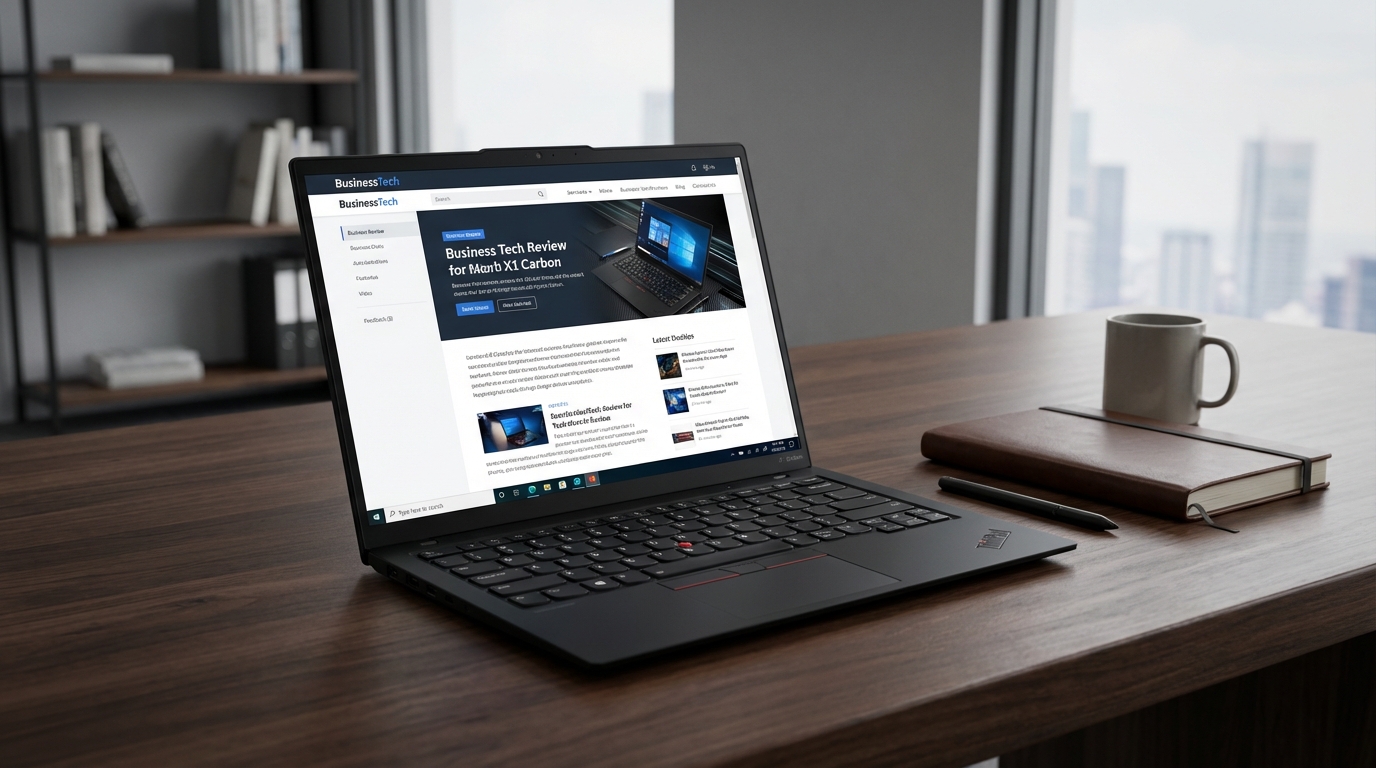
I’ve spent the last twelve years watching the ThinkPad X1 Carbon evolve with the predictable, rhythmic pace of a Swiss watchmaker who refuses to acknowledge that digital clocks exist. It is the elder statesman of the ultrabook world. It is the laptop that sits in the first-class cabin of a Lufthansa flight, perched on a tray table next to a lukewarm glass of Riesling and a stack of McKinsey reports. But with the Gen 12, Lenovo is finally trying to stop acting its age. They’ve added a "Communications Bar," experimented with haptic feedback, and finally embraced the "inverted notch" trend. It feels like watching your grandfather trade in his wingtips for a pair of limited-edition Yeezys. It’s slightly uncomfortable, a little confusing, but you have to respect the hustle.
The ThinkPad X1 Carbon Gen 12 arrives at a weird time for laptops. We are currently being bludgeoned over the head with "AI PC" marketing—a term that means everything and nothing simultaneously. Intel’s Meteor Lake chips are here, the MacBook Air M3 is setting benchmarks on fire, and Dell has completely redesigned the XPS 13 into something that looks like it fell off the set of a Kubrick film. Against this backdrop, the X1 Carbon Gen 12 needs to prove it’s more than just a matte black rectangle with a red nub in the middle. After two weeks of dragging this thing through the JFK security line, typing in the back of cramped Ubers, and pushing its thermal limits in my home office, I have thoughts. Mostly good ones, but there are enough quirks here to make a purist weep into their mechanical keyboard.
Design & Build Quality
Let’s address the elephant in the room—or rather, the hump on the lid. Lenovo calls it the "Communications Bar." I call it the Inverted Notch. It’s a small protrusion at the top of the display that houses the webcam and microphones. It serves two purposes: it gives your thumb a lip to grab when opening the lid, and it allows for thinner bezels without sacrificing camera quality. In practice, it’s fine. You stop noticing it after twenty minutes, but it does break the sleek, symmetrical lines that have defined the X1 Carbon for a decade. It’s a functional choice that sacrifices aesthetic purity, which is the most ThinkPad thing imaginable.
The chassis remains a masterclass in material science. Weighing in at just 1.09kg (about 2.41 pounds), it is startlingly light. Every time I pick it up, my brain expects more resistance. It’s constructed from a mix of carbon fiber and magnesium, providing that signature "soft-touch" feel that is both premium and a total nightmare for oily fingerprints. If you’ve just finished a bag of chips, do not touch this laptop. You will leave a forensic record of your snack choices that requires a microfiber cloth and a priest to exorcise. Despite the lightness, there is almost zero deck flex. I pressed down with more force than I’d ever use during a frantic 2:00 AM deadline, and the chassis barely budged. This is still the gold standard for build rigidity in the ultralight category.
Then there’s the keyboard. For years, the X1 Carbon keyboard was the undisputed champion of the world. Then Lenovo started shrinking the travel. We’re now at 1.5mm. It’s still excellent—tactile, clicky, and miles better than the shallow, butterfly-adjacent switches on the MacBook Air—but it no longer feels like a "traditional" ThinkPad. It feels like a very good modern laptop keyboard. The bigger controversy, however, is the layout. Lenovo has finally swapped the Fn and Ctrl keys to match the rest of the industry. Purists will howl. They will scream into the void about tradition. Me? I’m relieved. I no longer have to reprogram my muscle memory every time I switch from my desktop to my laptop. However, they’ve also moved the fingerprint sensor to a dedicated key on the keyboard row and tucked the Copilot key in there too. It feels crowded.
The biggest design gamble is the optional Haptic ForcePad. My review unit came with it. It’s a glass trackpad with no physical diving-board mechanism. Instead, it uses tiny actuators to simulate a click. It also integrates the three physical buttons used with the TrackPoint (the red nub) into the top of the pad. If you are a TrackPoint devotee, you will hate this. The "buttons" are just marked with subtle ridges, and while the haptic feedback is decent, it doesn't replace the tactile certainty of a physical switch. For everyone else, it’s a brilliant, smooth, and spacious glass surface that feels very much like a MacBook trackpad. You can even customize the click force in the settings, which is great because the default "medium" felt a bit like tapping on a piece of cold marble.
Performance & Benchmarks
Inside this 14.96mm thin shell sits the Intel Core Ultra 7 155H. This is part of the Meteor Lake family, featuring 16 cores (6 Performance, 8 Efficient, 2 Low Power Efficient) and the new integrated Arc graphics. It also has an NPU (Neural Processing Unit) for those "AI tasks" that currently consist mostly of blurring your background in Zoom or generating weird-looking cats in local Stable Diffusion builds. On paper, it’s a powerhouse. In reality, it’s a marathon runner in a tuxedo.
In Cinebench R23, the X1 Carbon Gen 12 pulled a multi-core score of 12,450. That’s a healthy jump over the Gen 11’s Core i7-1365U, which usually hovered around the 8,500 mark. In Geekbench 6, it hit 2,410 in single-core and 12,800 in multi-core. For a 2.4-pound laptop, these are impressive numbers. It handles 40+ Chrome tabs, Slack, Spotify, and a background Lightroom export without breaking a sweat. However, the "H" series chip in such a thin chassis means the fans are busy. Under sustained load, the fans ramp up to a noticeable 38-40 dB. It’s not a high-pitched whine—more of a "whoosh"—but you’ll hear it in a quiet room. The bottom of the chassis also gets quite toasty, peaking at around 44°C near the hinge. It’s not "burning your thighs" hot, but it’s definitely "don't wear thin shorts" warm.
The integrated Arc graphics are the real surprise here. While this isn't a gaming laptop, you can actually play things on it now. *Shadow of the Tomb Raider* at 1080p on Medium settings averaged 42 FPS. *Counter-Strike 2* was perfectly playable at 60+ FPS with some settings tweaks. This is a massive leap over the aging Iris Xe graphics of yesteryear. If you’re a creative professional doing light video editing on the road, the Gen 12 is significantly more capable than its predecessors. I rendered a 5-minute 4K color-graded clip in Premiere Pro in about 6 minutes and 20 seconds. Not world-breaking, but certainly usable for a field edit.
One minor nitpick: Lenovo still throttles the performance quite aggressively when on battery power. If you want those benchmark numbers, you need to be plugged into the 65W USB-C brick. On battery, the Cinebench score drops by about 15-20% as the system tries to prioritize thermals and longevity. It’s a sensible trade-off for a business machine, but it’s something to keep in mind if you’re planning on doing heavy renders on a cross-country flight.
Features & Software
Lenovo hasn't skimped on the "Executive" features. The webcam is now an 8MP sensor, and the difference is night and day compared to the grainy 720p or 1080p trash we've endured for years. In a Microsoft Teams call, I actually looked like a human being rather than a collection of moving pixels. The microphones also feature updated noise cancellation that successfully filtered out my neighbor’s leaf blower during a mid-morning briefing. There’s a physical privacy shutter, too, because we all live in a state of low-level tech-paranoia.
Port selection remains the X1 Carbon's secret weapon. While Apple and Dell are trying to convince us that a world with only USB-C is a utopia, Lenovo remains grounded in reality. You get two Thunderbolt 4 ports (USB-C), two USB-A 3.2 Gen 1 ports, a full-sized HDMI 2.1 port, and a 3.5mm headphone jack. I didn't have to carry a single dongle during my entire testing period. That alone is worth at least half a point on the final score. Being able to walk into a conference room and plug into an older projector via HDMI without doing the "Where is my adapter?" dance is a luxury that shouldn't be a luxury.
Software-wise, it’s the usual Lenovo Commercial Vantage suite. It’s actually one of the better manufacturer utilities out there. It lets you cap the battery charge at 80% to prolong its lifespan, tweak the Dolby Atmos settings, and manage the OLED flicker reduction. However, my unit came with some pre-installed "suggestions" for Spotify and some casual games in the Start menu. On a laptop that costs north of $2,000, I shouldn't see a single pixel of bloatware. It’s a minor irritation, but it's like finding a gum wrapper in the pocket of a bespoke suit.
The speakers have been moved. They are now flanking the keyboard rather than being hidden underneath or firing from the top. The soundstage is surprisingly wide for a thin laptop. Watching *Dune: Part Two* on this thing was a genuine pleasure, with the Dolby Atmos processing doing a respectable job of simulating space. It lacks the low-end "thump" of the MacBook Pro 14, but it’s easily in the top 10% of Windows ultrabooks for audio quality.
Display & Battery Life
My review unit featured the 14-inch 2.8K (2880 x 1800) OLED touch display with a 120Hz refresh rate. This screen is, quite frankly, gorgeous. The blacks are infinite, the colors are vibrant without being neon, and the 120Hz refresh rate makes every scroll and window animation feel like butter. It hits about 400 nits of brightness in SDR and peaks higher for HDR content. It’s not the brightest panel on the market—the MacBook Pro can hit 1,600 nits in HDR—but for indoor office work and the occasional movie, it’s stellar. It also covers 100% of the DCI-P3 color gamut, making it a viable tool for photographers.
However, that OLED panel comes at a price: battery life. This has always been the Achilles' heel of the X1 Carbon when configured with a high-res screen. The 57Wh battery is decent, but it’s fighting an uphill battle against that 120Hz OLED and the Core Ultra 7. In my standard "office day" test—brightness at 200 nits, balanced power mode, a mix of Slack, Chrome, Word, and occasional Zoom calls—the Gen 12 lasted 8 hours and 45 minutes. That’s... okay. It will get you through a standard workday if you don't push it. But compared to the MacBook Air M3, which easily sails past 14 hours in the same scenario, it’s a letdown. If you opt for the lower-resolution 1920x1200 IPS display, you’ll likely see 11 or 12 hours, but then you lose that beautiful OLED inkiness. It’s the classic ultrabook trade-off.
Charging is fast, at least. The 65W brick can juice the battery from 0% to 80% in about an hour. I also appreciate that the X1 Carbon supports charging from most high-quality phone chargers in a pinch, though it will complain about "slow charging" if the wattage is too low. I spent a long flight from London to New York using the OLED to watch movies and write, and I had to plug into the seat power at the 6-hour mark. If you’re a "road warrior" who spends 12 hours away from a wall outlet, this might be a dealbreaker unless you carry a power bank.
The Competition
The X1 Carbon Gen 12 doesn't exist in a vacuum. Its primary rival is the Apple MacBook Air 13 (M3). The MacBook is cheaper, has significantly better battery life, and the M3 chip is more efficient. However, the MacBook has a shallower keyboard, only two USB-C ports, no TrackPoint, and a notch that actually cuts into the screen. If you live in Excel and need the best typing experience possible, the ThinkPad wins. If you want a silent, cool-running machine that lasts for two days, the MacBook is the play.
Then there’s the Dell XPS 13 (9340). Dell went full "minimalist" with a capacitive touch row and a hidden glass trackpad. It looks stunning, but the ergonomics are a nightmare compared to the ThinkPad. The XPS also lacks the port variety of the X1. I’ve used both, and while the Dell feels more like a "future" device, the ThinkPad feels like a "tool" you can actually rely on. The Dell is a concept car; the ThinkPad is a high-end Volvo.
HP’s Dragonfly G4 is the other major competitor. It’s one of the few laptops that can match the ThinkPad’s weight and build quality. The Dragonfly has a taller 3:2 aspect ratio display that some productivity nerds (myself included) prefer. However, the ThinkPad’s keyboard still has a slight edge in tactile feedback, and the X1’s brand recognition in the corporate world is unbeatable. If your IT department is giving you a choice between the two, you’re in a "win-win" situation, but the X1 Carbon still feels like the more durable of the two.
Finally, there's the internal competition: the ThinkPad T14s. It's slightly heavier, slightly thicker, and uses more plastic in the build. But it's also significantly cheaper and offers much of the same experience. For many businesses, the T14s is the rational choice, while the X1 Carbon remains the aspirational reward for the C-suite.
The Verdict
The Lenovo ThinkPad X1 Carbon Gen 12 is a fascinating piece of hardware. It’s an attempt to modernize a legend without alienating the people who made it a legend in the first place. The move to the "Communications Bar" and the haptic trackpad shows that Lenovo isn't afraid to experiment, even if those experiments don't always feel like an objective upgrade. The haptic pad is a "love it or hate it" addition that might drive long-time fans to the standard-pad configuration, and the "inverted notch" is a functional quirk that you'll either ignore or despise.
But beneath those changes, the core of what makes an X1 Carbon great is still there. It is impossibly light, incredibly rigid, and features the best port selection of any ultrabook in its weight class. The performance from the Intel Core Ultra 7 is robust, and the OLED display is a visual treat that makes even the most boring spreadsheets look like modern art. Yes, the battery life is merely "average" when you opt for the high-end screen, and the fan can get a bit chatty when you're pushing the CPU. And yes, it is still a fingerprint magnet that will look greasy within five minutes of unboxing.
Is it worth the premium price? If you value portability and typing comfort above all else, the answer is a resounding yes. There is a specific joy in carrying a laptop this light that doesn't feel like a toy. It feels like a serious instrument for serious work. While the MacBook Air offers better value for the average consumer, the X1 Carbon Gen 12 remains the definitive choice for the professional who needs a Windows machine that can survive the rigors of travel without weighing them down. It’s not perfect, and the "AI" features are mostly marketing fluff for now, but as a pure piece of engineering, it remains at the top of its game. Lenovo didn't reinvent the wheel here; they just gave it a new tread and a slightly more aggressive alignment. And for the ThinkPad faithful, that’s exactly what was needed.